

Whether you’re looking for your first remote job or have been working from home for years, it’s never too late to improve your remote workspace.
While some remote workers brag about just needing a laptop and wifi, there are a few other essentials that can make things more comfortable and even help improve your quality of work.
Think of this as your work from home equipment checklist.
If you can’t afford all of these items right now or feel overwhelmed by this list, don’t worry. You don’t need to buy everything.
Scan the list for must-haves, think about what you already have, and refer back to our work from home equipment checklist later on if you find your space lacking.
If you love learning about home office tips, you might also enjoy these posts on work from home essentials and ways to refresh your home office.
Now, let’s dive into our work from home equipment checklist.
1. Laptop or Desktop Computer
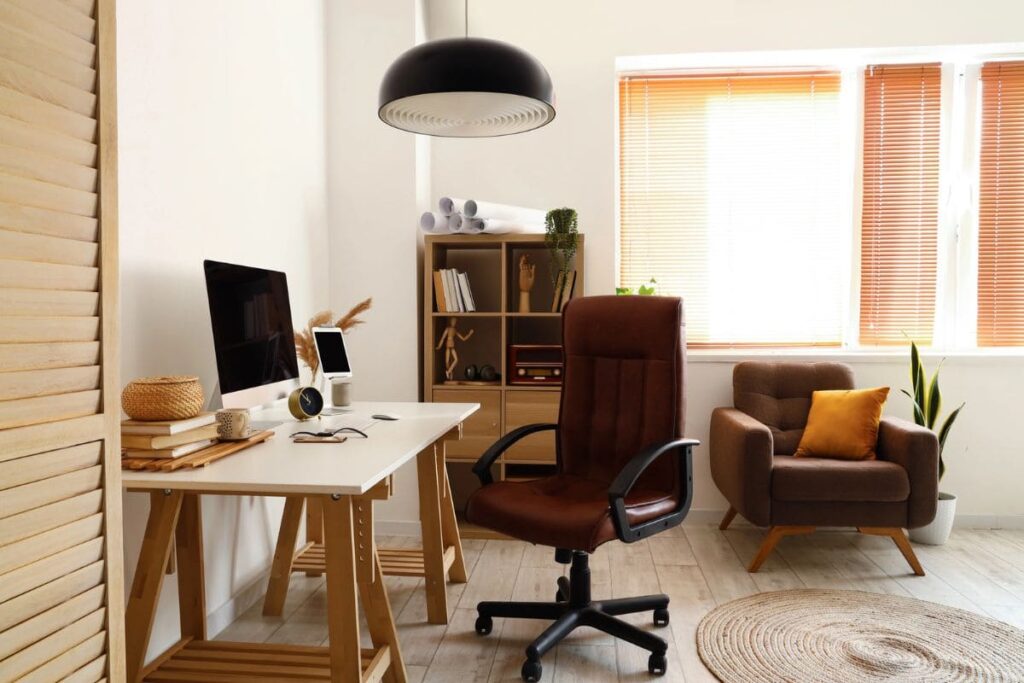
A computer that meets all your needs is probably the most important item on our work from home equipment checklist.
Some companies will provide a computer, but if they don’t, check whether your computer will work with the programs they use. For example, many companies will specify whether you need a PC or a Mac.
When choosing a computer, consider how much time you’ll spend working from home versus at other locations.
If most of your work time will be at home, you might prefer the larger screen of a desktop or even consider dual monitors, while if you’re always on the go, you might prioritize a laptop.
2. High Quality Webcam
Along with your computer, you should also make sure you have a high-quality webcam. Especially if you’ll be participating in online meetings, then a good webcam is a must.
Some laptops don’t have the best webcams, so consider adding an external one for improved visibility. Don’t forget to clean it regularly, too!
3. Keyboard
Since you’ll be spending so much time using it, have a keyboard that you enjoy typing on.
Using an ergonomic keyboard is another way to reduce strain if you know you’ll be sitting at a computer most of the day.
If you’ve always wanted a clacky keyboard or one with your favorite colors, go for it!
4. Mouse
A mouse that you like using is another good-to-have item.
My friend recently introduced me to the vertical mouse, and this is a nice option to help protect your wrists and prevent strain. Some other options include ergonomic mice and touchpad mice, so consider the type of work you’ll be doing.
5. Headset or Headphones
Depending on the type of remote job you have, a corded headset might be required, especially if you’re taking calls with customers or clients. Recommended options include the Jabra Evolve 20 UC and the Logitech H390.
If you’re doing transcription work, you’ll definitely want a good set of headphones that delivers maximum clarity, as well as a foot pedal to control the audio speed.
A quality pair of noise-canceling headphones is helpful as well, especially when you really need to focus. The Sony WH-1000XM6 are consistently ranked as the best noise-canceling headphones on the market.
It’s also good to have a backup headset and headphones if you can.
6. Reliable Internet Connection
In a remote work environment, reliable, high-quality internet is one of the most important investments. A computer and reliable internet are the two must-haves on our work from home equipment checklist.
Depending on your company, you might be able to get reimbursed for part or all of your internet service expenses, especially if you are required to work remotely.
Having regular internet problems can be extremely frustrating for you and can also upset your employer, especially if you have online meetings or calls with customers or coworkers.
7. Printer and Scanner
You might not use printers and scanners on a daily basis, but they are always good to have for the few times you will need them.
Try to get an all-in-one system so it takes up less room, like this Brother one we recommend.
8. Software and Programs
If you’re job hunting, be sure to read through the job descriptions and see whether they mention the tools and software the company uses. You can also ask about software and programs during interviews.
If any of the programs they use are new to you, take some time to do your research and learn how to use them before starting your job.
Here are some collaboration tools and video conferencing software you might want to familiarize yourself with and add to your work from home equipment checklist:
Anti-Virus Software
- Norton Anti-Virus
- TotalAV
- Avast
Project Management Tools
- Asana, Monday, Trello, etc.
- Password Managers (Nordpass, 1Password, Roboform, etc.)
- Google Suite (Docs, Sheets, etc.)
Videoconferencing Tools
- Zoom
- Microsoft Teams
- Google Meet
9. Functional Desk
When buying a desk, there are a few things to consider.
- How much room do I have in my space?
- Do I want a traditional desk or a standing desk?
- Do I want drawers or room for storage?
- Will my desk just hold my computer, or do I need room for a desk lamp, laptop stand, paper, or other items?
10. Comfortable Chair
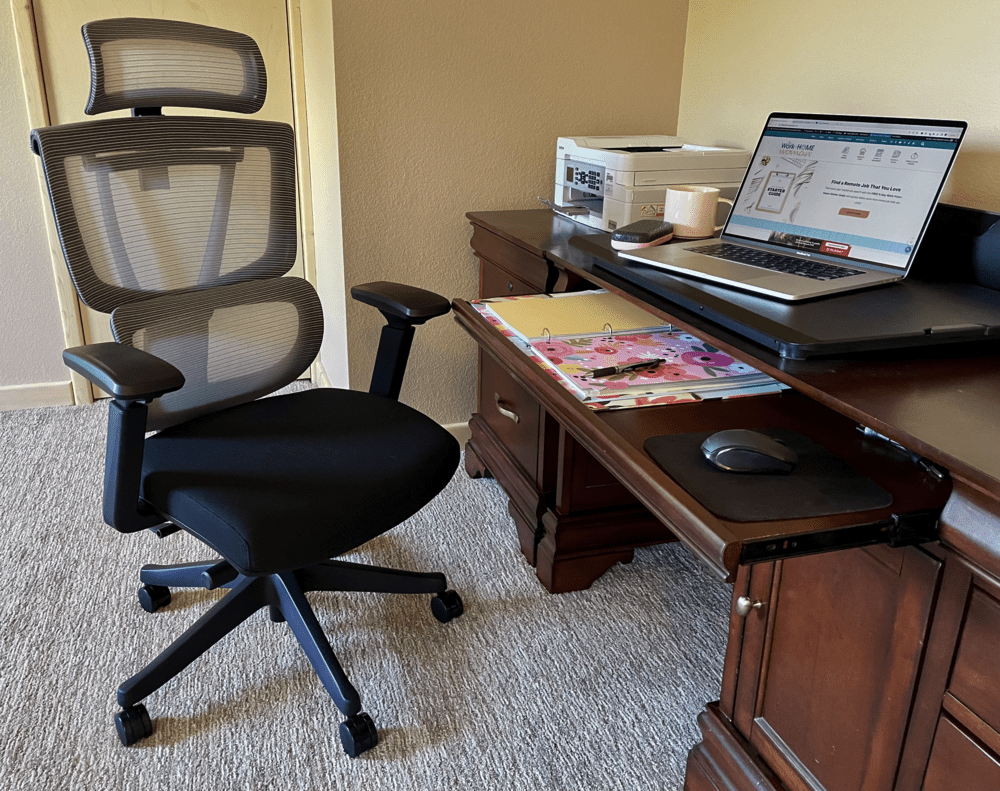
I resisted buying a nice ergonomic office chair for the first few years of working from home, and I wish I’d upgraded sooner.
Remember that you’ll likely be sitting in this spot for 8 hours a day, so you want to be comfortable. A high-quality chair can also help prevent back pain or other issues.
11. Extra Chargers
It’s always a good idea to have dedicated phone and laptop chargers (if you use a laptop) just for your workspace.
If you often work from coffee shops, hotels, or other remote spaces, you can even keep a bag ready to go with all the chargers and extra items you will need.
12. Physical or Digital Calendar
One of the keys to being a great remote worker is staying organized, and an easy way to do that is with a solid calendar system.
Personally, I love using Google Calendar to track meetings, appointments, deadlines, etc. Then I use a paper planner to stay on top of my daily and weekly to-dos. I find that a combination of digital and analog works best for me.
If you don’t already have a system in place, try out a few options to see what works well for you.
13. Digital Storage
Even though cloud storage is common today, it doesn’t hurt to have an external hard drive or USB on hand, especially if your job requires large files or you just want a way to back up your work.
14. Office Supplies
While most of your job is probably done on a computer, it’s still good to have supplies like pens, pencils, and notebooks on hand.
15. Fun Items to Cheer You Up
Working from home is amazing, but it isn’t always easy. When those challenging days or moments come around, it’s good to have a few items on your desk or in your office to cheer you up.
It’s important to add a few fun items to our work from home equipment checklist, too!
Some ideas are:
- Pics of kids, pets, family, or friends
- Meaningful books
- Quirky toys
- Inspirational quotes or phrases
- Candles or room spray with your favorite scent
16. Filing Cabinet, Bookshelf, or Other Storage
Having a filing cabinet, a fireproof safe, or other storage might not be necessary, but it can certainly come in handy.
This might be especially true if you’re a contract worker, freelancer, or entrepreneur and have papers, receipts, or other documents you need to have ready for tax season.
17. Trash Can + Paper Shredder
If you’ve ever needed one and couldn’t find one, then you know how important this is.
Having a trash can will also encourage you to keep your space clean and prevent you from leaving your office to dispose of things.
Depending on your job, a paper shredder could be a nice-to-have item, too.
18. Extra Lighting
Take a look at the space where you’re working.
- Do you have any natural light coming in from doors, windows, or skylights?
- Is the overhead lighting bright enough?
- Will you be doing most of your work during the day or in the evening?
Think about all of these questions and consider whether some extra lighting might be useful. Some options include adding a desk lamp, ring lights, or a standing light.
Proper lighting is important for two reasons: first, it will help you see clearly and work more efficiently.
Second, if you have online meetings or need to record yourself on video, you want whoever is watching to see you well.
19. Wrist Pad, Footrest, or other Comfort Items
Sitting at a desk all day can be taxing on the body. Even more so if you have any pre-existing health conditions.
If you find that your wrists, feet, or back are sore at the end of the day, invest in some products to ease the strain. A wrist pad, footrest, blanket, desk mat, fan, standing desk, or laptop stand can make things a little more comfortable.
How to Save Money on Home Office Equipment
At this point, you might be wondering how you’ll come up with the cash to buy everything on this list. Don’t worry.
First, you don’t need to buy everything at once. If you’re starting from scratch, prioritize the most important items to set up your home office and buy everything else over time.
Wait for big sales like Black Friday, Christmas, and Amazon’s spring sale to save money on big-ticket items like a computer, desk, or chair.
Another option is to see what you can find locally on Facebook Marketplace or thrift stores. Or, ask around and see if any friends or family are looking to sell any of these items.

How to Create a Remote Workspace Without a Dedicated Office
Maybe you’re thinking that this all seems great, but how do you create a nice work-from-home setup when you’re working from your kitchen table? Think about how to make your home space a workable office.
If you don’t have a dedicated room or space, that’s ok, you can make the most out of whatever you have.
Get creative, there are many home office solutions for small spaces!
Making use of a rolling cart can help you stay organized, and (most importantly) turn any space into a makeshift work station. Other than your laptop, try keeping everything else in your rolling cart. This will help keep things tidy and prevent you from having to carry things from room to room every single day.
A Few Other Tips:
Create an End-of-the-Day Ritual
When you work from home, it can be hard to separate your work life from your home life. This is especially true if you use the same computer or workspace for multiple functions.
Try to create a routine that helps you mentally and physically end the workday.
If you have a separate work computer, this could look like physically closing your laptop or powering down your desktop.
Or, if you just have one computer for both personal and work, try stepping away from your space for a 10-minute walk or making yourself a cup of tea.
Get Inspiration From Other Remote Workers
If your desk or workspace just doesn’t feel inspiring or exciting, look at how other remote employees decorate their spaces.
Pinterest, Instagram, YouTube, and even Google are great places to find inspiration and see what other tools and products people use.
Or, if you feel comfortable, ask your team members if they are willing to share pics or videos of their workstations. See if they have any preferences about equipment or tools that they recommend.
Keep Your Space Tidy and Clean
I have to admit I don’t do the best job with this one, but it’s an area I really want to improve. This month, I’m creating a plan to organize my home office.
Many people find it easier to focus and get work done in an organized home office space rather than in a cluttered one, so try to keep your space tidy.
You could even take a minute or two at the end of the day or week to quickly clean up your office. Make cleaning a regular part of your routine.
Lastly, for safety, make sure to clear walkways of cables, cords, clutter, and other potential hazards.
Minimize Your Reasons to Leave Your Workspace
When you work from home, leaving your office or workspace can leave you with endless distractions.
As much as possible, try to keep everything you need in your office or within close proximity. This could look like having an extra water bottle, some snacks, or anything else you might need while you’re working.
Of course, we all need breaks from time to time, but for some people, it can be hard to re-focus once they’ve left their workspace.
Work From Home Equipment Checklist Wrapup
If you are a remote worker who loves geeking out on office supplies, tools, and products, I hope you enjoyed our work from home equipment checklist.
Don’t feel like you need to go out and buy everything on this list today. Just start with the essentials and add to your workspace over time as your budget allows.
While working remotely is a dream for many, getting your foot in the door can be difficult. If you are searching for a remote job, we can help!
For resume and cover letter help, you’ll love our Ultimate Resume Template Bundle. Or, if you’re looking for legit job leads, resume and interview tips, LinkedIn help, and more, don’t miss out on our Remote Job Monthly Membership.
Do you have any favorite work from home tools or products? What can’t you live without? Leave a comment and let us know.





Alignment Healthcare provides all the equipment needed for their remote customer service position. They are based in California and they start at $18/hour. The position is answering inbound calls from members of the Alignment Healthcare plans. The positions are permanent not contract. They provide 2 monitors, a keyboard, mouse, the headset and the ethernet cable you need for your internet connection.
How do you apply? And do you have to live in California?
Can I PLEAse HAve information Mailed to me
Hi Amanda,
We don’t snail-mail information, but we do have regular work-at-home updates via email. You can sign up here:
https://www.theworkathomewoman.com/wahw_optin/find-a-remote-job-that-you-love/
Is an all in one PC acceptable for work from home positions
Hi Constance,
That should be fine as long as all the software is up-to-date.
sometimes. I’ve worked from home for almost 3 years. I would recommend buying an HP i3 processor or higher as a separate work computer. That way your work is confidential and fully secure.
Thanks for the equipment suggestion, Miranda!
I use a MacBook Pro and I LOVE it!
Hi i want To start working from home i m interresting for the job .
Thanks
Sandrine
Hi Sadrine,
These articles will give you a great place to start your WAH job search:
https://www.theworkathomewoman.com/right-job/
https://www.theworkathomewoman.com/wah-jobs/
https://www.theworkathomewoman.com/best-work-from-home-jobs/
https://www.theworkathomewoman.com/work-home-jobs-location/
If you have more specific questions, let me know, I’ll be happy to help.
Good luck with your job hunt!
I want to start working from home, but I don’t know where to go to apply for the companies that are hiring for work at home
Did you find any ?? I’ve been looking too
What if you don’t gave the money to purchase this if you don’t have it since unemployed
Hi Laterria, You can look for companies that provide you with equipment, or you can try making some money through side gigs or selling old stuff and then purchase the items that you need.
There’s a company that does in-house financing for computers. They offer all the equipment you need but they only do the financing for desktop bundles. it’s wahequipmentsolutions.com
Thanks for sharing this with us Holly. This is great for those who are ready to work from home. :)
You’re welcome, Cori!
Hello Holly
I’m looking to work as a personal stylist..like Stitch Fix. But Stitch fix is not in Memphis Tennessee do you know of any personal stylist work from home positions that are in Memphis Tennessee or how I can find something like Stitch fix in Memphis I would like to do something in Fashion online from home thank you
Hi Celeste,
Try looking at Dia & Co – https://www.dia.com/careers. Right now it says they’re hiring Stylists in Dallas; I would periodically check back to see if they hire Stylists in other cities.
Also, check out these articles — they have some other options.
https://www.theworkathomewoman.com/home-based-business-fashion/
https://www.theworkathomewoman.com/free-fashion-boutique/
https://www.theworkathomewoman.com/interview-jill-marinelli/
Good luck and keep us posted!
Thank you soo much for providing this information to us. Its really hard to find out, especially if you are just starting out. :)
You’re welcome, Patti.